FOR RESTAURANTS
Software for running your restaurant team
Floor and kitchen, students and flexi-jobbers, availability that changes every week. Toonio keeps the schedule, the team and the daily work in one place.
Now welcoming our first hospitality teams


WHERE THE TIME GOES
The schedule isn’t the hard part. Everything around it is.
Most restaurants can write a schedule. What takes the week is everything that happens to it after you send it.
Availability keeps moving
Students get exam weeks, flexi-jobbers pick up other work, and last week’s answers don’t hold for next week.
Shifts change late
Someone calls in sick at four on a Saturday, and the plan has to work again before service starts.
Everyone has to know
Every change means telling people — and being sure they actually saw the version that counts.
ROLES & SECTIONS
Floor and kitchen, planned by role
A restaurant schedule isn’t a list of names. It’s a bar that needs covering, a pass that needs a chef, and a floor that needs enough hands at eight. Toonio plans by the roles you actually run.
Roles you name yourself
Bartender, runner, chef de partie, dishwasher — whatever your operation actually calls them.
Shift blocks for real services
Lunch, dinner, close — the shapes your week already takes, not generic time slots.
The right people in the right role
Staff are matched to the roles they can actually work, so the pass never gets covered by guesswork.

AVAILABILITY
Half your team has a different week, every week
Students, flexi-jobbers and part-timers don’t work a fixed pattern, so the week starts with a question: who can actually work it? Your team answers that in Toonio, before you start planning, instead of in a group chat you have to scroll back through.
A SERVICE DAY
Friday at six is the real test
The schedule was written on Monday. What matters is whether it still works once the room fills up.
BEFORE SERVICE
Everyone knows where they’re standing
The schedule is published and each person sees their own shifts, times, role and location on their phone.
DURING SERVICE
The plan survives contact with the room
Tasks keep the shift on track. When someone drops out, you can see who is genuinely available and move the shift to them.
AFTER SERVICE
The day gets closed properly
Clocked hours sit next to what you planned, and the day’s takings and cash are reconciled before anyone goes home.
DURING THE SHIFT
The same opening, whoever is on
Every restaurant has a way things are done. Tasks are the shift’s checklist; playbooks are the instructions behind them — so a new starter opens the terrace the way your most experienced bartender would.
Tasks
What needs to happen
Playbooks
How it should be done
AFTER SERVICE
Two things worth knowing before you go home
How many hours the team actually worked, and how the day actually finished.

Hours worked
Clocked time sits next to scheduled time, so the differences are visible instead of discovered later.

The day’s close
Sales, payments and cash come together in Daily Balance, so a difference is caught the same evening.
MULTI-LOCATION
One group, more than one room
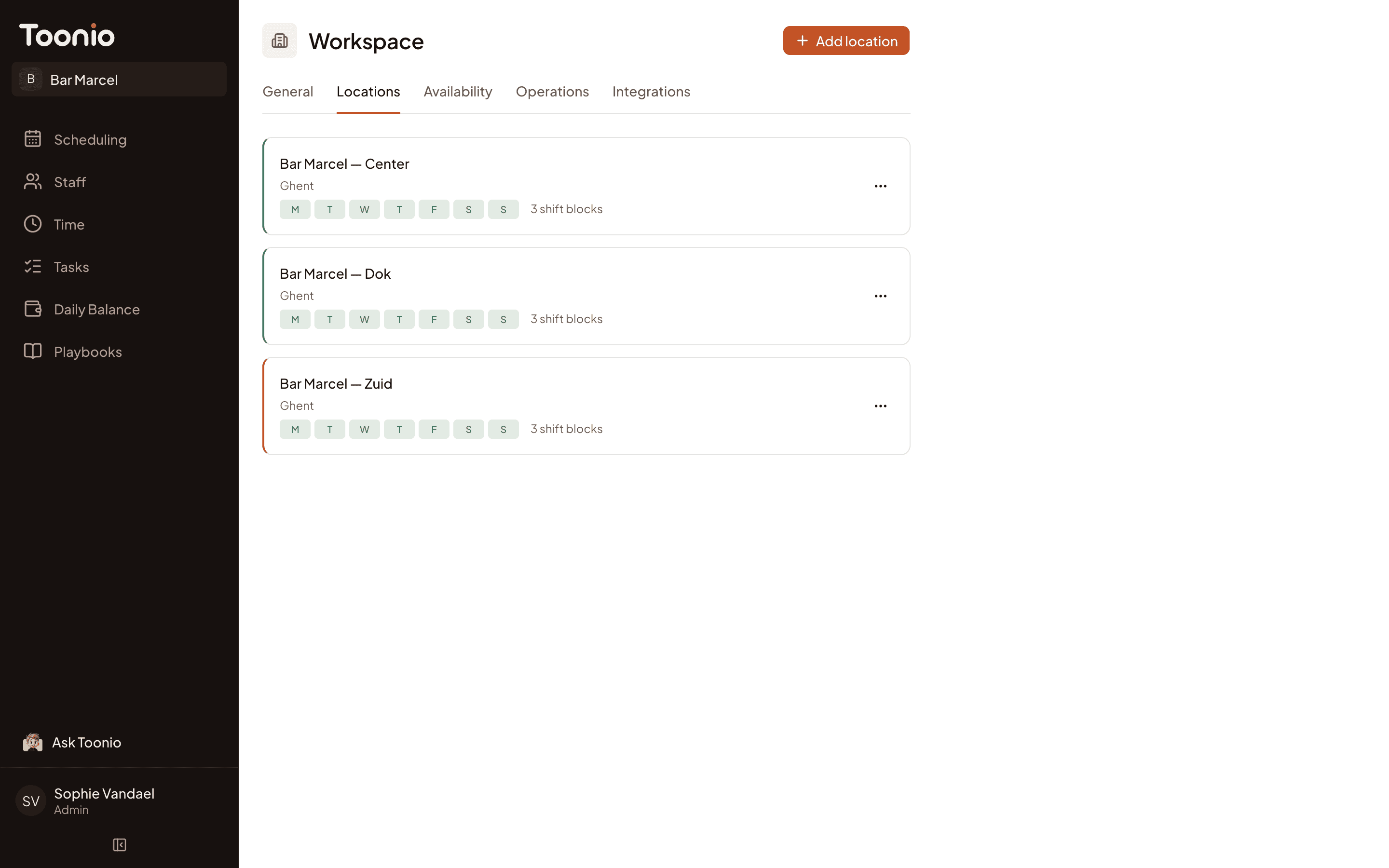
A second site doesn’t mean a second system. Each location keeps its own team, hours and setup, while everything stays inside one Toonio workspace.
Staff who work across locations
Assign someone to more than one site without creating them twice.
Each location runs its own way
Its own team, opening hours and shift blocks.
One workspace to manage
Switch between locations in one workspace, one location’s week at a time.
QUESTIONS
Questions from restaurant owners
Does Toonio work for a restaurant with one location?
Yes. Most teams start with one location and one schedule. Multi-location is there when you need it, not something you have to set up first.
Can staff see their schedule on their phone?
Do I pay extra for managers or head chefs who need access?
Does Toonio handle payroll or Dimona declarations?
Run your restaurant team in one place.
Bring the schedule, availability and daily work together in Toonio.

